
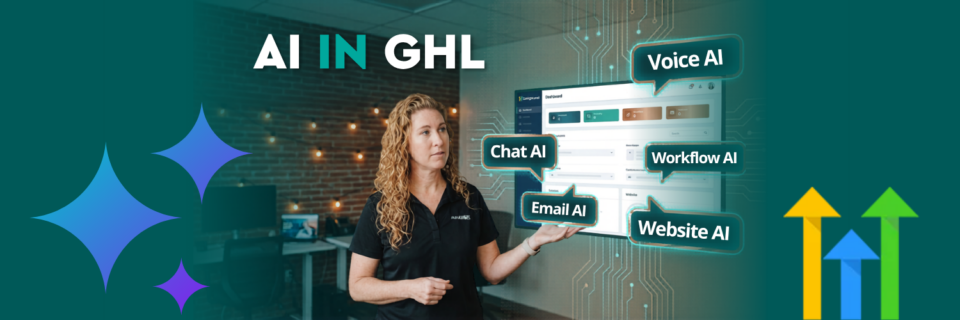
AI in GoHighLevel is not a single feature. It is built across the entire platform to support content creation, automation, communication, and system building. Instead of adding more tools, this approach embeds AI directly into the workflows you already use, reducing setup time and improving execution.
What this article covers:
- Where AI lives inside GoHighLevel and Marketecs Engine
- What each AI feature actually does
- How to use AI across marketing, automation, and sales workflows
- The difference between disconnected AI tools and an integrated system
- Practical steps to start using AI without overcomplicating your setup
In this guide and accompanying video tutorial, Marketecs founder Kathrine Farris breaks down exactly where AI shows up, how each feature works, and how to use it in a structured way.
Video Time Stamps
0:00 – Why you need systems, not more tools
1:08 – Inside GoHighLevel: Platform tour setup
1:47 – AI Agents: Voice AI, Conversation AI, Knowledge Base
4:17 – Content AI for Social Media + Email AI
6:26 – Brand Voice & Brand Boards setup
6:50 – Workflow AI: Build automations with AI
7:58 – Funnel & Website AI: Build pages from descriptions
9:53 – Two ways to work with us
11:14 – Media Storage: AI images + Canva integration
12:01 – Reputation AI: Review summaries & auto-responses
13:00 – Prospect AI for lead generation
13:39 – Ask AI: Chat with your entire account (agency feature)
15:59 – AI costs, usage tiers, and recap
17:59 – Why one connected system beats separate tools
19:01 – Where to start + next steps
Links
Learn more about Marketecs Engine and its capabilities.
Need Help? Book a free consult.
Check out our YouTube Channel for more tips and tutorials.
Where Does AI show up in GoHighLevel?
AI in GoHighLevel is a system-wide layer that enhances your CRM, marketing tools, and automation workflows. Instead of switching between multiple platforms, AI is integrated directly into the tools you already use.
AI appears in more than 10 areas across the platform.
This includes:
- Content creation
- Workflow automation
- Website and funnel building
- Conversations and voice
- Reputation management
- Data insights and reporting
The key difference is integration. Every feature connects to your CRM, your contacts, and your campaigns.
Why is an Integrated AI System Important?
Most businesses adopt AI the wrong way. They stack tools.
That leads to:
- Fragmented workflows
- Repetitive manual work
- Higher costs across platforms
An integrated system solves this by keeping everything connected.
According to Salesforce, 84 percent of marketers say AI improves efficiency, but only when it is integrated into existing systems. Disconnected tools create more work instead of reducing it.
Your system already holds your data. AI should operate inside that system, not outside of it.
The Complete AI Roadmap Inside GoHighLevel
Below is a breakdown of every major area where AI shows up today.
1. AI Agents: Voice and Conversation Automation
AI agents handle real-time communication with leads and customers.
Voice AI
- Answers incoming calls
- Books appointments
- Handles basic inquiries
Conversation AI
- Website chat widgets
- Lead qualification
- Customer support responses
Both pull from your knowledge base and CRM data. This allows AI to respond based on your business, not generic information.
Important note: always test AI agents before deploying publicly .
2. Content AI: Social, Email, and Messaging
Content AI is embedded directly into marketing tools.
Social Media Planner
- Generates captions based on platform
- Adapts tone using your brand voice
- Creates variations for testing
Email Builder AI
- Builds full email templates
- Generates subject lines and body copy
- Imports and recreates emails from other platforms
This reduces content production time significantly. McKinsey reports that AI can increase marketing productivity by up to 40 percent when used in content workflows.
3. Brand Voice and Brand Boards
Your AI output is only as good as your inputs.
Brand boards allow you to:
- Define tone and messaging
- Train AI on your voice
- Maintain consistency across all content
Once set, every AI-generated output aligns with your brand automatically. This is one of the most important setup steps in the entire system.
4. Workflow AI: Build Automations Faster
Workflow AI helps you create automation logic without starting from scratch.
You can:
- Describe a workflow in plain language
- Generate automation sequences
- Get help while building
Even if you are experienced with automation, this reduces build time and removes friction. For newer users, it removes the learning curve entirely.
5. Funnels and Websites with AI
AI is built directly into page creation.
What it does:
- Generates full funnel pages
- Writes copy and layouts
- Applies brand styling
- Creates SEO metadata automatically
You can:
- Start with a prompt
- Use guided inputs
- Refine pages with AI assistance
This replaces hours of manual setup.
6. Reputation Management AI
AI improves how you manage reviews and public perception.
Features include:
- Automatic review summaries
- AI-generated responses to reviews
- Optional approval workflows
This ensures consistent, timely responses without manual effort.
BrightLocal reports that 88 percent of consumers are more likely to use a business that responds to reviews. AI helps you maintain that consistency.
7. Media and Image Generation AI
Inside the media library, you can now:
- Generate images using AI
- Apply styles and variations
- Sync assets directly from Canva
This keeps content production inside one system instead of switching tools.
8. Prospecting AI
For agencies and sales teams, prospecting AI can:
- Identify potential leads
- Generate prospect reports
- Automate outreach preparation
This is more niche but powerful for growth-focused teams.
9. Ask AI: The Central Intelligence Layer
Ask AI is the most advanced feature currently available.
It allows you to:
- Query your CRM data
- Analyze contacts and activity
- Get workflow recommendations
- Generate prompts for other AI tools
Example use cases:
- “How many leads did I generate this month?”
- “Summarize my active workflows”
- “Create a funnel plan for this offer”
It can also take limited actions and is expanding quickly.
This moves AI from assistant to operator.
What Makes This Different From Other AI Tools
Most AI tools operate in isolation.
This system connects:
- Calls
- Emails
- Funnels
- CRM data
- Automations
There is no need for external integrations or constant copying and pasting between tools. Everything works together.
How to Start Using AI Without Overcomplicating It
Do not try to activate everything at once.
Follow this sequence:
- Set up your brand voice
- Use Content AI for social or email
- Build one workflow using AI
- Test a funnel or landing page
- Introduce AI agents once your system is stable
This approach reduces risk and keeps your system manageable.
FAQ
How many AI features are in GoHighLevel?
There are more than 10 integrated AI features across the GHL platform, covering content, automation, communication, and analytics.
Do I need multiple AI tools if I use GoHighLevel?
No. The GHL platform is designed to reduce the need for external tools by embedding AI directly into the entire system.
Is AI expensive to use in GoHighLevel?
Most AI features in GHL include baseline usage ability, with optional upgrades depending on volume and advanced models. The result is that it’s often less expensive to use AI within GHL vs in separate programs.
Where should I start when exploring AI in GHL?
We recommend starting with brand voice and content AI. Then expand into workflows and automation, and site builders. By starting with the brand voice, the system will then have the ability to apply that to other areas.
Conclusion: You don’t need more AI tools. You need a better system with AI already built in. This is where GoHighLevel (and our Marketecs Engine version) shines.