
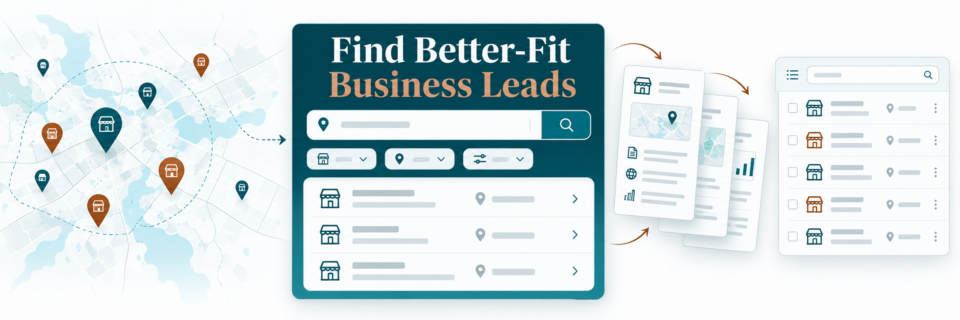
If your business relies on outbound prospecting, one of the slowest parts of the process is usually research. You have to find companies that fit your criteria, check whether they have a website, look at reviews, gather contact details, and then decide who is actually worth contacting.
HighLevel’s Prospecting tool brings much of that research into the same system you may already be using for CRM, workflows, appointments, and follow-up. Instead of treating prospect research as a completely separate activity, you can build targeted prospect lists, generate marketing audits, enrich business data, and connect some of that information to the rest of your sales process.
What You’ll Learn About GoHighLevel Prospecting and Lead Generation
- Where to find the Prospecting tool inside HighLevel
- How Prospect AI can search for businesses by niche and location
- Which filters can help narrow your prospect list
- How marketing audit reports can support prospect research
- How the Prospecting widget can become a lead-generation tool
- How workflows can automatically create audits before sales conversations
- Why you still need judgment and care when deciding how to contact new prospects
Affiliate disclosure: We may earn a commission if you sign up through our HighLevel links, at no additional cost to you.
Want to try HighLevel without starting from a blank account? Start a 30-day HighLevel trial through Marketecs and get our bonuses, onboarding resources, templates, and support.
Video Time Stamps
00:00 What is the GoHighLevel Prospecting Tool?
01:20 Where to find Prospecting inside HighLevel
01:57 Managing new prospect lists and marketing reports
03:00 Sharing, downloading, and organizing prospect audits
05:15 Using Prospect AI to find businesses by niche and location
06:22 Prospect AI filters, radius, websites, reviews, and ratings
07:01 Data enrichment, CRM contacts, and outreach cautions
08:19 Using the Prospecting widget as a lead magnet
08:51 Report builder, analytics, and Prospecting settings
10:06 Triggering marketing audits with HighLevel workflows
11:04 Final thoughts, consult CTA, and audit link
Links
Try HighLevel free for 30 days.
Need help setting workflows up? Book a free consult!
ChatGPT – https://chatgpt.com/
Claude – https://claude.ai/
Descript – https://get.descript.com/tnidj03ncjkd
Canva – https://www.canva.com/
vidIQ – https://vidiq.com/marketecs
Zoom – https://us06web.zoom.us/refer?refCode…
Marketecs Engine – https://www.marketecs.com/marketing-s…
What Is the HighLevel Prospecting Tool and How Does It Work?
The Prospecting tool lives inside the Marketing area of HighLevel. It is a premium add-on, so it is not something every business will need, but it can be useful when your sales process includes identifying new companies outside your existing CRM.
The important distinction is that this is not lead scoring for contacts you already have. It is designed to help locate new businesses that match the criteria you define. From there, you can review the prospects, create marketing audit reports, enrich the data, and decide how you want to follow up.
For marketing agencies, the marketing audit is an obvious fit. But the prospecting side can also be useful for other professional service businesses. A bookkeeping firm could search for local plumbers. A consultant could search for businesses in a specific industry. A service provider could look for companies with weak review profiles, missing websites, or other characteristics that make them a better fit for a particular offer.
Organize and Manage Business Prospects in GHL
Inside the Prospecting area, the All Accounts view shows prospects that have entered the system from the different prospecting sources. You can organize them by category, review contact information, mark them won or lost, delete them, open the associated CRM contact, and work with the marketing report generated for that business.
This is useful because prospecting can quickly turn into a spreadsheet problem. You find a company, save a link somewhere, make a note about why it looked interesting, and then a week later nobody remembers what happened next. Keeping the research connected to the CRM gives the team a more structured way to work through the list. If you are also building the follow-up side of that process, our guide to building an automated lead and sales pipeline in GoHighLevel shows how the CRM side can connect after a lead enters the system.
How to Use HighLevel Prospect AI to Find Targeted Business Leads
Prospect AI is where the tool becomes more useful for ongoing lead research. You can define what kind of business you are looking for and where you want HighLevel to search.
In the video, we used Portland, Maine as the target area and searched for business management consultants, business development services, and general consultants. The point is not that everyone should use those categories. The value is that you can define the niche that makes sense for your own business.
For example, you can configure:
- Target business category or specialty
- Geographic area and search radius
- How many prospects you want
- How frequently the search should run
- Whether a business has a website
- Review and rating criteria
- Prospect strength or conversion indicators
If you sell websites, businesses without websites may be especially relevant. If your offer revolves around reputation management, ratings and reviews might matter more. If you provide a service to one industry, the geographic and specialty filters can help keep the search focused.
GoHighLevel Prospecting Enriches Business Data and Contact Records
The Prospecting tool can also enrich the business information it finds and attempt to identify contacts for the business. You can choose whether those prospects should automatically become contacts in your CRM.
That does not mean every new record should immediately enter a bulk sales campaign.
As is pointed out in the video, you still need to think about permission, outreach rules, and the context of the relationship. Finding a business through a prospecting database does not automatically give you permission to market to that person however you want.
For many professional service businesses, a more thoughtful approach is to use the tool for research and prioritization, then reach out individually through an appropriate channel. The software can help you find and organize the opportunity. It does not replace judgment.
And in another video we show you how to create AI Agents that can help with further research and data enrichment.
Use GoHighLevel Marketing Audits for Lead Generation and Sales Research
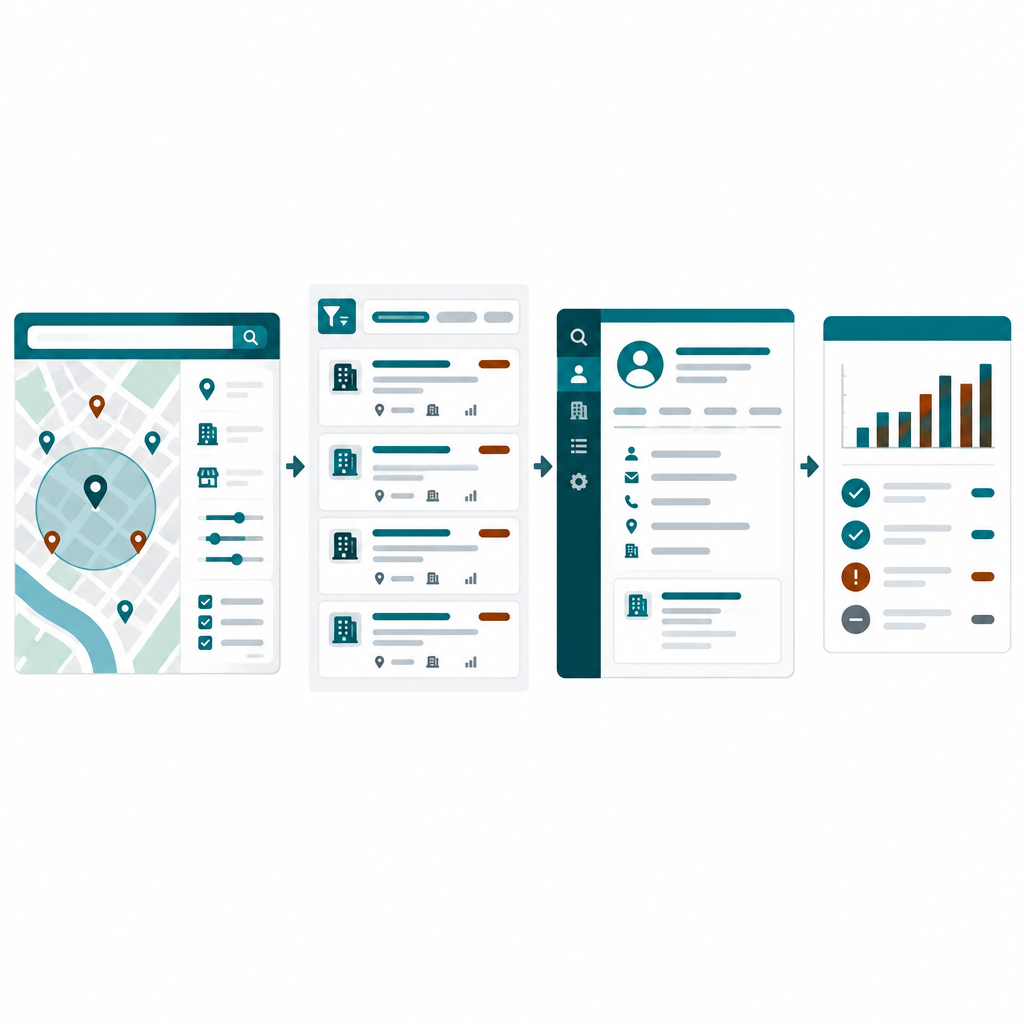
Each prospect can have a marketing report associated with it. You can review the report inside HighLevel, share it, or download it as a PDF.
For marketers, that report can become part of the sales process. It gives you a structured view of the prospect’s online marketing footprint before you start a conversation.
For other businesses, the report can still be useful as context or even as a value-add. A consultant could use it to better understand a company before a meeting. A service provider could review the report privately before a sales call. You could also download the PDF and use AI to help summarize the findings or identify questions you may want to ask.
The practical benefit is not the report itself. It is showing up to a conversation with better context than you would have had otherwise.
Turn the Prospecting Tool Into a Lead Magnet
HighLevel also includes a Prospecting widget that can be embedded on a website. Visitors can enter their business information and generate their own marketing audit.
For a marketing business, this can function as a lead magnet without requiring you to build a separate assessment from scratch. The visitor receives something useful, and then enters your system for follow-up.
The report builder lets you customize elements such as branding, colors, header wording, introduction text, footer content, and the order of the audit information. The underlying audit content is generated by the system.
Use Workflows and Automation to Prepare Before a Sales Call
One of the most useful applications is connecting Prospecting to HighLevel workflows.
In our own process, a consultation booking can trigger a marketing audit automatically. The prospect does not necessarily receive that report. Instead, it becomes an internal research asset before the meeting.
That means the system can gather useful context while the appointment is moving through the normal booking process. By the time the call arrives, we already have another layer of information available about the client.
This is a good example of where automation should actually help. It removes repetitive prep work without trying to automate the judgment that happens during the conversation. For a broader look at where AI fits inside the platform, see our roadmap to AI in GoHighLevel.
Who Is This GHL Prospecting Tool Best For?
The Prospecting tool is probably most valuable when your business has a clearly defined target market and prospect research is already part of the sales process.
It is especially relevant for:
- Marketing agencies researching potential clients
- Consultants targeting specific business categories
- Professional service firms selling into defined local or regional niches
- Businesses that need a repeatable way to build prospect lists
- Teams that want prospect research connected to CRM workflows instead of managed in separate spreadsheets
It is less compelling if almost all of your business comes from referrals, you rarely do outbound prospecting, or your target market is too broad to define useful search criteria.
A Practical Way to Test the GHL Prospecting Feature
- Choose one specific audience you already want to reach.
- Define a geographic area and two or three meaningful filters.
- Run a small prospect search instead of building a giant list.
- Review the quality of the results manually.
- Look at the marketing reports and decide whether they actually improve your sales preparation.
- Only after the process proves useful should you turn on recurring searches, automatic CRM creation, or workflow automation.
That sequence matters. Automating a weak search just gives you a larger pile of weak prospects faster.
Frequently Asked Questions About Finding Business Leads
Does Prospect AI find new businesses or score my existing leads?
The video demonstrates finding new businesses outside your existing CRM by niche and location. You then review the results and decide which prospects to pursue.
Is premium Prospecting included in every HighLevel subscription?
The version demonstrated in the video is a premium add-on. Check the Prospecting subscription options in your account before assuming the trial or base plan includes it.
Can I use prospecting if I do not sell marketing services?
Yes, the video discusses using business searches for other services, such as bookkeeping for local plumbers. Decide whether the business data is useful for your offer even if you do not need the marketing audit.
Can an appointment booking trigger a marketing audit?
In the demonstrated Marketecs setup, a consultation booking triggers an audit through a workflow for internal meeting preparation. It does not need to be sent to the prospect.
Should every new prospect automatically receive a campaign?
No. Review fit, data quality, and the appropriate outreach approach before enrolling prospects. A contact record alone does not establish permission for every communication channel.
Key Takeaways on GHLs Prospecting Capability
HighLevel’s Prospecting tool is useful because it connects business research, prospect organization, marketing audits, CRM records, and automation in one place. The real advantage is not simply “AI finds leads.” It is creating a repeatable research process that helps you identify better-fit businesses, prepare for conversations, and keep the next step from disappearing into a spreadsheet.
Click Here to Read the full video transcript
Introducing Prospecting
Did you know you have a prospecting tool built directly into your CRM? Well, I should say you do if you’re using a HighLevel or HighLevel. After 16 years of using a variety of different platforms, this is the one that we’ve hung our hat on. If you’ve watched our channel at all before, you know we have a lot of tutorials on this platform.
So, one of the tools that I feel like a lot of people have no idea even exist is called the prospecting tool. Now, this tool is extremely helpful for marketers. It gives you a full marketing audit of the prospects that you are searching for. However, I think it has a lot of validity for almost any business in terms of locating anyone within a certain niche in a certain area.
That’s why I wanted to showcase it today. We do work with other types of marketing agencies because we all specialize a little bit differently and at Marketecs, we really focus on the technology and automation side of marketing. So, this actually does work really well for our other marketing clients. But again, I think it has application for almost any type of business.
Finding and Managing Prospects
So, why don’t we take a look and you can decide. Okay, but here we are inside of HighLevel or better yet, our version called Marketecs Engine. From the left-hand side, you go to marketing and then over on the top menu, you go to prospecting. And we are working in the premium prospecting application. So, this is an add-on service. Not everybody’s going to want to do this.
Totally get it. But, I think this offers some really interesting options, again, built into your CRM. And that’s the important part here. That’s the important part about HighLevel in general is the fact that so much is built in, baked in. So, across here, we have the options within the prospecting. Here under all accounts, what you’re going to see is a list of all the prospects that have come into your HighLevel account one way or another.
And there’s an AI option, there’s a widget option, you can manually add prospects. There’s lots of different ways that you can bring people into this prospecting piece. And it’s going to show just a full list here, and I’m not really going to scan down through this list at the moment because these are real prospects. The only way for me to demo this for you is actually to bring you into my live account.
So, we’re going to hide as much information as possible and show you what we can. But what you can see is you’ll have the name across the top, you’ll see some different categories that they might be in, then you’ll have the contact information. You’ll also have options here at the bottom for marking them won or lost, deleting them as a prospect, as well as sharing the marketing report with them, which is a really nice feature if you are someone who sells marketing services.
Or maybe you’re a consultant and you’re not a marketer, but you want to be able to say, “Hey, I have this system that spits out marketing reports. Thought you might be interested in it.” It’s sort of a value add. We also have you can open the contact, which is actually going to open the contact over here in your contacts. You can download the report as a PDF.
So, instead of sending them the link, maybe you want it as a PDF or you want to save it with all your client files on that particular client. You could also download it and upload it to AI to have it help you with a variety of things for this prospect or future client, as well as just reviewing the report on your own.
Configuring Prospect AI
There’s some different things here that you can look at. Like you see here, you can create categories, you can look at the sources where they came from, and the statuses. Let’s move on to some of the other options, which are kind of interesting. Prospect AI, this is something that you can turn on. You can have AI go out and find you leads, find you prospects on a regular basis.
HighLevel and Marketecs Options
I’m interrupting this video to make sure that there is no confusion about HighLevel or about how to work with me. If you want to try HighLevel but don’t want to waste months trying to figure it out, I have two very clear options for you to consider. If you’re looking to build an agency or a SaaS business, head over to marketecs.com/highlevel. By using our affiliate link, which costs you nothing, you will get the following bonuses: our Marketecs Engine Core Snapshot.
This is all of the features that we install in every new Marketecs Engine user account. And we’re giving it to you for free as an affiliate. Our onboarding guides and access to our private community. An invitation to join our weekly live office hours where I personally will answer questions and even share tips that I’ve learned throughout the week. And I’m constantly learning.
There is so many new features and things to learn in this industry as a whole, not to mention within the HighLevel platform. Plus, we’ll give you our additional templates, checklists, and migration guide. That’s option number one. Option two is if you are a business owner just looking to improve your own tech stack and you don’t want to do it alone. You would like a trusted strategic partner in your corner that speaks the language, brings you time-tested automations, proven strategies, and up-to-date learning.
Then, go to marketecsengine.com and book a consultation with me to learn more about our HighLevel agency, Marketecs Engine, and joining our ecosystem. I’m also currently offering discounts on one-on-one consulting to any of our affiliates and HighLevel users. So, whether you’re building an agency or building a business, pick your path and let’s drive results. Now, back to your regularly scheduled programming. You can have AI go out and find you leads, find you prospects on a regular basis.
And this is where you can build what you’re looking for. For example, I put in a target area of Portland, Maine cuz I live in Maine, and I put in the type of people that we work with: business management consultants, business development services, and general consultants. And then this is going to go and look for them. Right now it’s deactivated because I wanted to show you how you could edit these agents instead of just building one from scratch but it is similar.
You give it a name, you can put in the specialty, and then you can choose what your target is. And you can see it gives you some ideas. So, this is why I’m saying you don’t have to necessarily just be selling marketing services to look for, say, people that are plumbers in an area. Maybe you help plumbers with their bookkeeping. You could do a search for local plumbers.
Yes, it’s going to give you a marketing report for them that you may not need, but that’s okay. And if you were a bookkeeping service giving plumbers a marketing report, again, that might be a nice value add. But I’m looking for a consultants in a couple of different areas. I put in my target location. Then I put in how many leads I’m looking for, as well as how often I want it to go out, what day of the week.
You can select the strength of the prospect finder, the radius. You can look for somebody with or without a website. If you’re selling websites, maybe you want people without a website. If you’re selling a way to get reviews for somebody, maybe you want to search for people with above or below certain ratings. And then the ability a possible conversion rate, whether they’re actually going to convert or not.
So, there’s a couple different things you can do there. I’m going to save and continue. And then again, this has to do a little bit more with the marketing side of things, but you can say which audit options you want to turn on, which features you actually want in this. And then finally, you can choose whether it’s going to enrich the data, whether it’s going to pull out the contacts for the actual business, actually try to find you contacts for that business, and whether you want it to automatically add them to your CRM, to the contact section over here in your CRM.
And coming soon, as you can see, you’re going to have SMS and email templates where you could just send those off. This you do have to be a little bit careful of because, obviously, you don’t have permission to market to these people yet. So, as far as marketing rules and marketing laws, you want to just make sure you’re careful with that, you’re aware of that.
More often than not, I’m suggesting that you pull these lists and then reach out one at a time, not so much through the CRM, but rather that you call the business or just send them an email through your regular Outlook or whatever it is that you’re using. And then you would update the agent and that would actually turn it on. I’m just going to hit cancel at this time.
Widgets and Reports
That is one way to find prospects them into the system. It’s like a really fancy way of doing a Google search where you can actually filter stuff. Next, we have a widget and again for the marketers, this is actually really interesting because this could be a lead magnet right here. You can actually add and I will show you, I have a preview here of mine.
I created this widget and you can add this to your website. Now, I can have people go to my website and generate a marketing audit, which actually puts them in my system. And it’s a lead magnet now, as simple as that. So, if you are in marketing, that’s where that could be really helpful. You have an instant lead magnet. Next up is the report builder.
This is the output of the report and a couple of things here that you can customize as far as branding, colors, header, introduction wording, footer, that sort of thing. But the actual content, the material on the page is going to be generated by the system. Then you have analytics, you can see how many that I’ve actually run through here. We’ve played with it a little bit, run a couple tests, those types of things.
So, you can see we have a couple in here. And then finally, we have settings here and under settings, you can see where you can choose the different types of websites that you want it to audit. You can also choose the layout, you can rearrange the information on the layout if you are actually planning on using the marketing audit itself and that’s where this comes into play.
You can also manage your subscription here because like I said, this is a premium add-on for HighLevel. And then you have the option here of whether it’s auto-creating contacts from the new prospects that you put in. And this also means when you add a prospect, so you can add a prospect here if you know of a dentist, a lawyer, or a plumber that you actually want to add in as a prospect, that’s where you can search for them and add them right in there.
Audits Before Consultations
And then under the settings, you will see that it is going to add them as a new contact as well. And then one of the things that is really helpful for anyone that’s doing any form of marketing or anyone that wants to add marketing to maybe some other business service that they’re offering is that you can actually trigger these within workflows in HighLevel.
For example, if somebody books an appointment with us, a consultation with us, my workflows are now automated, they’re now turned on to automatically create a marketing audit for that person. It doesn’t necessarily send it to them, they don’t necessarily know that it happened, but it internally for me, that is now a tool that happens automatically. So, if I have a new consultation with somebody coming up, I will get that marketing audit as soon as they book the appointment.
So, that’s really interesting in terms of anyone that would benefit from marketing knowledge before a meeting. Again, you don’t necessarily have to be a marketer, you can actually trigger this through workflows now. There you have it, that is an overview of the prospecting tool that is found directly inside your HighLevel subscription. So, if your CRM doesn’t have built-in tools like this, workflows, prospecting, appointment setting, all of these types of tools, then check the description down below, book a consultation with me, and I’d be happy to share your marketing audit with you.
Also, I’ll have a link down below where you can actually test out the marketing audit and see how it looks for yourself. If you have any questions, please drop them down below as well, and I hope you will like, subscribe, and share. Thank you.
Want to see what the marketing audit looks like for your own business? Generate your marketing audit. If you want help deciding whether HighLevel, Marketecs Engine, or a different setup makes sense for your business, you can also book a strategy consultation.