For service-based professionals, marketing automation is no longer optional. The right workflows help you respond faster, organize leads better, improve follow-up consistency, and create a more scalable client acquisition process.
At Marketecs, we build these systems every day inside Marketecs Engine, our enhanced version of GoHighLevel designed specifically for business owners and agencies that want more than disconnected tools and manual processes.
In this guide, Marketecs owner and founder Kathrine Farris breaks down five practical marketing automations that can dramatically improve how your business handles lead generation, appointments, nurturing, and sales follow-up.
Video Time Stamps
00:00 Introduction to Top 5 Marketing Automations
00:56 Getting Started with High Level and Marketecs Engine
01:43 Appointment and Calendar Booking Automations
09:30 Lead Capture and Nurturing Workflows
15:03 Lead Scoring and Gamification
20:11 Webinar and Video Tracking Automations
31:36 Conclusion and Next Steps
Links
Learn more about Marketecs Engine and its capabilities.
Need Help? Book a free consult.
Check out our YouTube Channel for more tips and tutorials.
What Is Marketing Automation?
Marketing automation is the use of software and workflows to automatically manage repetitive marketing and sales tasks.
This can include:
- Appointment scheduling
- Email follow-up
- Webinar reminders
- Lead nurturing
- Lead scoring
- Pipeline management
- SMS reminders
- Internal notifications
- Customer segmentation
The goal is not to replace human interaction. The goal is to create systems that allow your team to respond consistently, prioritize the right opportunities, and scale without chaos.
Why Marketing Automation Matters for Service-Based Businesses
Service-based businesses often struggle with:
- Missed follow-ups
- Inconsistent lead nurturing
- Calendar overload
- Low-quality consultations
- Disorganized pipelines
- Poor lead visibility
- Manual admin work
Strong automation solves these problems by creating structure around the customer journey.
Instead of relying on memory and manual tasks, workflows handle repetitive processes automatically while your team focuses on actual client relationships.
1. Appointment Booking and Gatekeeper Automations
One of the most important automations for any service-based business is appointment management.
A booked consultation is often the transition point between lead and client. But not every inquiry is a qualified prospect. This is where gatekeeper automations become extremely valuable.
Related Video on appointment automation: https://youtu.be/j1wRgyPVkzk
Related Article on appointment and meeting qualification: https://www.marketecs.com/revolutionize-scheduling-automation/
What Is a Gatekeeper Workflow?
A gatekeeper workflow filters appointment requests before someone books directly on your calendar.
Before booking, prospects first complete a short application or qualification form.
The automation then:
- Tags the lead
- Alerts your team
- Reviews qualification criteria
- Approves or denies booking access
- Sends appropriate follow-up communication
Why This Matters
For consultants, lawyers, coaches, and agencies, protecting calendar time is critical.
A gatekeeper system helps:
- Reduce spam bookings
- Filter low-intent leads
- Improve sales call quality
- Increase close rates
- Save time for your team
Inside Marketecs Engine, these workflows are already prebuilt and customizable.
Important Automation Features
Strong appointment workflows often include:
- Pre-appointment questionnaires
- Automated reminders
- SMS confirmations
- Internal team notifications
- Reschedule links
- Conditional approval paths
- Goal-based automation stops
For example: If a lead books a consultation, reminder emails automatically stop sending. This creates cleaner communication and a better user experience.
2. Lead Magnet and Lead Capture Workflows
Not every prospect is ready to book a consultation immediately.
Many businesses first build trust through lead magnets such as:
- Guides
- Checklists
- Webinars
- Templates
- Mini-courses
- Assessments
- Quizzes
The problem is that most businesses stop after delivering the free resource. That is where automation shines.
How Lead Capture Workflows Work
A strong lead magnet automation:
- Captures the lead through a form
- Applies specific tags
- Delivers the promised resource
- Starts a nurture sequence
- Guides the lead toward the next step
Why Tagging Is So Important
One major theme throughout our automation systems is strategic tagging.
Tags help identify:
- Which lead magnet someone downloaded
- What topic interests them
- Which webinar they attended
- Which offers they engaged with
This allows future segmentation and highly targeted follow-up campaigns.
Examples:
- Webinar SEO Registration
- Lead Magnet Business Scaling Guide
- Estate Planning Consultation Interest
The more organized your tagging system is, the more useful your automation becomes.
Nurture Sequences Matter
A lead magnet should not be a single email. The best workflows continue the conversation over several days.
For example:
Day 1: Deliver the guide
Day 2: Highlight key insight #1
Day 3: Share a related case study
Day 4: Address common objections
Day 5: Invite the consultation
This keeps the lead engaged while positioning your expertise naturally.
3. Selective Unsubscribe Automations
One overlooked automation that can significantly improve email performance is selective unsubscribe functionality.
Most businesses only offer “Unsubscribe from everything.” That creates unnecessary list loss.
Related Video on unsubscribe settings and options: https://youtu.be/fqEPeJdKARw
What Is a Selective Unsubscribe Workflow?
Instead of removing someone from your entire email list, selective unsubscribe allows them to opt out of a specific promotion or topic only.
For example:
- Not interested in this webinar
- Not interested in this product launch
- Not interested in this challenge series
The contact remains subscribed to your broader communication.
Why This Improves Marketing Performance
Selective unsubscribe workflows help:
- Improve email deliverability
- Reduce spam complaints
- Preserve valuable contacts
- Respect user preferences
- Improve long-term engagement
This is especially valuable for businesses running multiple campaigns simultaneously.
4. Lead Scoring and Warm Lead Notifications
Not all leads deserve equal attention.
Lead scoring helps identify which prospects are actively engaged and more likely to convert.
Related Video on lead scoring and engagement scoring: https://youtu.be/JR-kzH5KPVk
What Is Lead Scoring?
Lead scoring assigns points based on user behavior.
Examples:
- Opened an email = +1 point
- Clicked a link = +5 points
- Attended webinar = +10 points
- Booked consultation = +20 points
- Missed appointment = -5 points
Why Lead Scoring Matters
Without lead scoring, sales teams often treat every lead the same.
Lead scoring helps prioritize:
- Highly engaged prospects
- Active buyers
- Warm opportunities
- Dormant leads
- Low-intent contacts
This creates far more efficient follow-up processes.
Warm Lead Notifications
One particularly effective workflow inside Marketecs Engine is automated warm lead notifications.
When a prospect crosses a certain engagement threshold:
- The system alerts the sales team
- The lead enters a pipeline
- Follow-up reminders begin automatically
This allows teams to contact prospects while interest is high.
Dormant Lead Automations
Automation can also identify stale opportunities.
For example:
- No engagement in 30 days
- No response in 60 days
- Remove from active pipeline after 90 days
This keeps pipelines organized and prevents clutter.
5. Webinar and Video Engagement Tracking Automations
Webinars remain one of the strongest lead generation tools for service-based businesses because they allow prospects to experience your expertise directly.
But webinar automation should extend beyond registration emails.
Related Video on video engagement tracking: https://youtu.be/CN0Lg1W3EhM
Webinar Workflows
A complete webinar workflow often includes:
- Registration forms
- Confirmation emails
- Reminder sequences
- SMS alerts
- Replay delivery
- Follow-up campaigns
- Appointment invitations
Evergreen Webinar Automation
One of the strongest strategies discussed in the training is converting live webinars into evergreen lead systems.
Instead of rebuilding everything manually:
- The same registration process remains active
- Replay content becomes automated
- Timers and reminders continue running
- Follow-up sequences stay intact
This creates long-term lead generation assets.
Video Tracking Automations
GoHighLevel and Marketecs Engine also allow video engagement tracking.
This means the system can identify:
- Who watched the video
- How much they watched
- Whether they completed the webinar
- Which viewers are most engaged
The automation can then branch based on engagement level.
Examples:
- Watched less than 50%
- Watched more than 50%
- Never started the video
Each path can trigger different follow-up messaging.
Why Video Tracking Is So Valuable
Video engagement is one of the strongest buying signals available.
Someone who watches 75% of a webinar is often significantly warmer than someone who simply downloaded a PDF.
This allows:
- Better prioritization
- Personalized follow-up
- More relevant offers
- Stronger conversion timing
Why These Automations Work Together
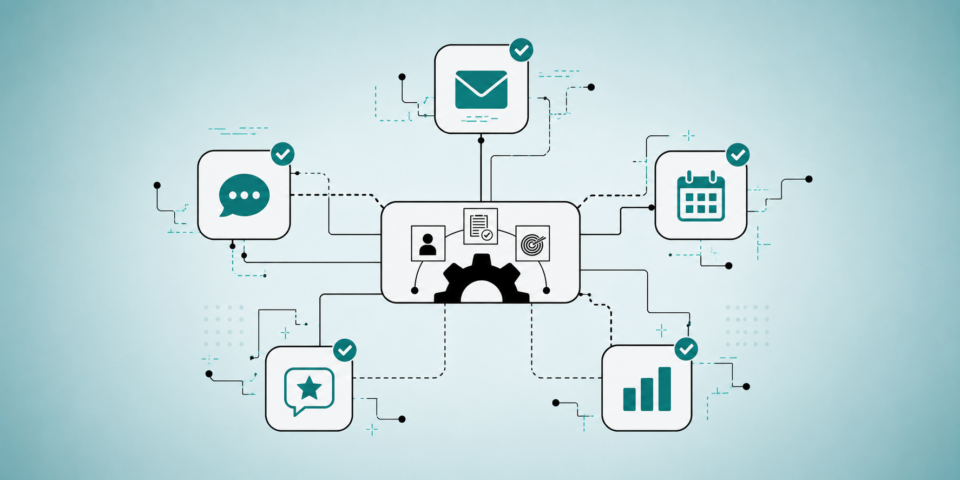
The real strength of automation is not individual workflows, it’s how they connect together.
For example:
- Lead magnet download triggers nurture
- Webinar invite follows
- Video tracking scores engagement
- Warm lead notification alerts sales
- Appointment workflow qualifies the lead
- Pipeline automation manages follow-up
This creates a complete client acquisition ecosystem.
Common Marketing Automation Mistakes
Overcomplicating Workflows
Automation should simplify operations, not create confusion.
Start with foundational systems first.
Poor Tag Organization
Disorganized tags eventually create unusable databases.
Use clear naming conventions.
No Follow-Up Strategy
Capturing leads without nurturing them wastes opportunities.
Ignoring Internal Notifications
Automation should support your team, not replace awareness.
Sending Too Many Emails Too Quickly
Strong automation still requires thoughtful communication timing.
Why Marketecs Engine Is Built for These Workflows
At Marketecs, we built our platform around real-world automation systems used by service-based businesses.
Instead of forcing users to build everything from scratch, many workflows already exist as customizable templates.
This includes:
- Appointment automations
- Webinar systems
- Lead scoring workflows
- Pipeline automations
- Nurture sequences
- CRM integrations
- Email and SMS workflows
- Funnel building
The goal is to help businesses implement proven systems faster without spending months configuring disconnected tools.
Who These Automations Are Best For
These workflows are especially effective for:
- Consultants
- Coaches
- Law firms
- Marketing agencies
- Professional service providers
- Course creators
- Business advisors
- Financial professionals
Any business with a consultative sales process can benefit from stronger automation.
Final Thoughts
Most businesses do not need more leads first, they need better systems.
Without strong automation:
- Leads get ignored
- Follow-up becomes inconsistent
- Pipelines become messy
- Sales opportunities fall through the cracks
The right marketing automation workflows create structure, consistency, and scalability without sacrificing personalization.
That is why these five automations continue to be foundational systems inside nearly every client account we build.
If you want help implementing automation systems inside your business, explore Marketecs Engine, browse additional automation resources on our blog, or schedule a consultation.