If your business relies on consultations, strategy calls, discovery sessions, or client onboarding meetings, your appointment booking system directly impacts conversions. While tools like Calendly or Acuity can help people schedule appointments, they only solve part of the process. A booking link is functional, but a booking funnel is strategic.
In this article and accompanying video, Marketecs founder Kathrine Farris teaches businesses how to build booking funnels that improve branding, increase appointment quality, reduce no-shows, and create a more controlled customer journey.
What you’ll learn:
- When to use a booking link vs booking funnel (+ a demo)
- How to build a 3-step appointment funnel inside GoHighLevel
- 5 booking funnel mistakes to avoid
- Best practices for tracking and optimization
- How to keep improving the funnel over time
Video Time Stamps
00:00 Booking Link vs Booking Funnel in HighLevel
01:35 When a Simple Booking Link Works Best
02:08 Why I Prefer HighLevel for Booking Funnels
04:04 Direct Booking Link vs Branded Funnel Demo
05:48 What to Set Up First: Calendars and Forms
06:17 HighLevel Options: Affiliate or Marketecs Engine
07:38 Funnel Settings, Domain, Tracking, and Structure
09:43 How to Build the Landing Page
13:39 Popup Form Setup and Funnel Actions
16:43 How to Build the Booking Page
19:15 Creating a Thank-You Page with AI
21:49 Upsells, Products, and Funnel Iteration
22:24 5 Booking Funnel Mistakes to Avoid
24:50 Final Takeaway: A Link Is a Tool, a Funnel Is an Asset
Links
Learn more about Marketecs Engine and its capabilities.
Need Help? Book a free consult.
Check out our YouTube Channel for more tips and tutorials.
What Is a Booking Funnel?
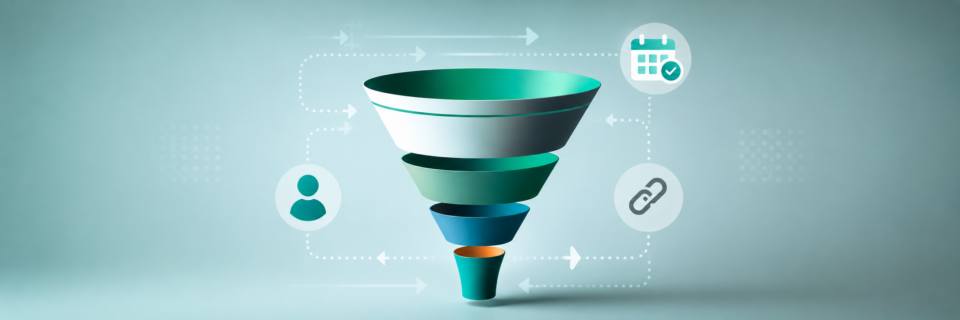
A booking funnel is a structured appointment scheduling process that guides prospects through multiple pages before and after booking a meeting.
Instead of sending traffic directly to a raw calendar link, a booking funnel creates a branded experience that:
- Builds trust
- Pre-qualifies leads
- Improves tracking
- Reduces confusion
- Increases show-up rates
- Supports better conversion optimization
A typical booking funnel includes:
- Landing page
- Booking page
- Thank you or confirmation page
What Is the Difference Between a Booking Link and a Booking Funnel?
Booking Link
A booking link is a direct scheduling URL generated by:
- Calendly
- Acuity
- GoHighLevel calendars
- Other scheduling tools
It allows someone to select a date and time immediately.
This works well when:
- The lead already trusts you
- Someone was referred
- A conversation already happened
- The prospect is highly qualified
Booking Funnel
A booking funnel adds:
- Branding
- Context
- Qualification steps
- Tracking
- Analytics
- Funnel optimization
- Customer journey control
This is especially important for:
- Paid traffic
- Cold audiences
- High-ticket offers
- Consultants
- Coaches
- Lawyers
- Agencies
- Service-based businesses
As Kathrine explains, a booking link is a tool while a booking funnel is an asset.
Why Booking Funnels Convert Better
Most people underestimate how much context matters before a consultation.
A direct booking link often creates questions like:
- What exactly happens on this call?
- Is this right for me?
- Who is this company?
- What should I prepare?
- Why should I trust them?
A booking funnel answers these questions before the meeting even happens.
This improves:
- Conversion rates
- Lead quality
- Appointment readiness
- Show-up rates
- Overall client experience
Why GoHighLevel Is Ideal for Booking Funnels
One major advantage of using Marketecs Engine or GoHighLevel is that the calendar, CRM, email marketing, automation, and funnel builder all exist inside one system.
This means:
- Appointments automatically enter the CRM
- Pipeline stages update automatically
- Follow-up workflows trigger instantly
- Email reminders stay connected
- Tracking remains centralized
Without an all-in-one platform, businesses often rely on:
- Calendly
- Zapier
- Separate CRM tools
- Email platforms
- Multiple integrations
That creates more complexity and more opportunities for systems to break.
The Ideal 3-Step Booking Funnel Structure
Step 1: Landing Page or Gatekeeper Page
The first page introduces the offer and prepares the prospect for the booking process.
This page may include:
- Brand messaging
- A short explainer video
- Testimonials
- Qualification questions
- Application forms
- Benefits of the consultation
- Calls to action
The purpose is not simply to “get the booking,” but to improve the quality of the booking.
Why Qualification Matters
For high-ticket services, qualification is extremely important. Without it, calendars often become filled with:
- Low-intent prospects
- Spam bookings
- Poor-fit clients
- Unqualified leads
A gatekeeper page can include:
- Budget questions
- Readiness questions
- Service-fit questions
- Business size questions
Kathrine specifically highlights qualification as one of the biggest missing pieces in many booking systems.
Step 2: Booking Page
The second page contains the embedded calendar. However, unlike a raw scheduling link, the booking page can include:
- Branding
- Welcome videos
- Instructions
- Clarification about the consultation
- FAQs
- Additional context
This creates a more professional and intentional experience.
Why Embedded Calendars Matter
Embedding the calendar inside a funnel page gives you:
- Better branding control
- Better analytics
- Cleaner URLs
- Greater flexibility
- Easier testing
It also allows you to swap calendars later without changing your public-facing URL structure.
Step 3: Thank You Page
Most businesses severely underestimate the importance of the thank you page.
After someone books:
- Excitement drops
- Attention shifts
- Confusion can increase
- No-show risk begins
A strong thank you page helps maintain engagement.
What to Include on the Thank You Page
Effective thank you pages often include:
- Appointment confirmation details
- Preparation checklists
- FAQ sections
- Introductory videos
- Case studiesPlatform walkthroughsNext-step expectations
This page can significantly improve meeting quality and reduce no-shows.
How to Build a Booking Funnel in GoHighLevel
Step 1: Create Your Calendar
Inside GoHighLevel:
- Go to Calendars
- Configure appointment types
- Set availability
- Connect Zoom or Google Meet
- Customize confirmation settings
Step 2: Build Your Funnel
Inside Sites → Funnels:
- Create a new funnel
- Add funnel steps
- Connect your domain
- Configure funnel paths
Step 3: Build the Landing Page
Add:
- Headlines
- Video
- Forms
- CTA buttons
- Qualification questions
You can use:
- Drag-and-drop builder
- Templates
- AI-assisted page generation
Step 4: Configure Popups and Forms
One useful feature inside GoHighLevel is popup forms.
These can:
- Collect lead details
- Trigger automations
- Route prospects
- Send leads to the next funnel step
The form can either:
- Redirect to the booking page
- Open the next step automatically
- Trigger workflows internally
Step 5: Embed the Calendar
On the booking page:
- Add the calendar element
- Select your appointment calendar
- Configure next-step actions
- Connect the confirmation page
Step 6: Create the Confirmation Page
Your confirmation page should:
- Reinforce trust
- Explain expectations
- Prepare the lead
- Encourage attendance
This is also a strong place to:
- Add onboarding videos
- Explain your process
- Introduce your company
- Share educational content
The Importance of Funnel Tracking
One major advantage of booking funnels is tracking visibility. With proper tracking installed, you can measure:
- Landing page conversion rates
- Funnel drop-off points
- Booking completion rates
- Traffic source quality
- Ad campaign performance
Inside GoHighLevel funnels, you can install:
- Google Analytics
- Meta Pixel
- Chat widgets
- Funnel analytics
Why A/B Testing Matters
Funnels allow you to create multiple page variations.
This means you can test:
- Headlines
- Videos
- Button text
- CTA positioning
- Page layouts
- Qualification questions
Even small improvements can significantly increase booked appointments over time.
Common Booking Funnel Mistakes
1. Sending Cold Traffic Directly to a Booking Link
Cold leads usually need context and trust-building first.
2. Skipping the Thank You Page
This increases confusion and no-show risk.
3. Inconsistent Branding Between Pages
Different messaging, colors, or terminology can create uncertainty. Consistency matters.
4. Missing Analytics and Pixel Tracking
Without tracking, optimization becomes difficult.
5. No Qualification Process for Premium Services
Not every lead should instantly access your calendar.
Who Should Use Booking Funnels?
Booking funnels are especially valuable for:
- Consultants
- Coaches
- Law firms
- Marketing agencies
- Financial advisors
- Healthcare professionals
- Business consultantsService providers with sales calls
Any business with a consultative sales process benefits from stronger funnel structure.
Why Booking Funnels Improve Appointment Quality
A booking funnel creates:
- Better-informed prospects
- Better-prepared meetings
- More intentional buyers
- Stronger positioning
- More consistent follow-up
That often leads to:
- Higher close rates
- Fewer wasted calls
- Better client fit
- More efficient sales conversations
Final Thoughts
Booking links are useful, but booking funnels create a much stronger customer journey.
If your business depends on consultations or strategy calls, improving the booking experience can have a direct impact on:
- Conversion rates
- Appointment quality
- Show-up rates
- Sales efficiency
- Client trust
The businesses getting the best results from appointment funnels are not simply sharing links, they are intentionally guiding prospects through a structured experience.
At Marketecs, we help businesses build scalable booking systems inside GoHighLevel with integrated automation, funnel strategy, CRM workflows, and lead nurturing systems. Schedule a consultation if this is something you’d like to learn more about.