
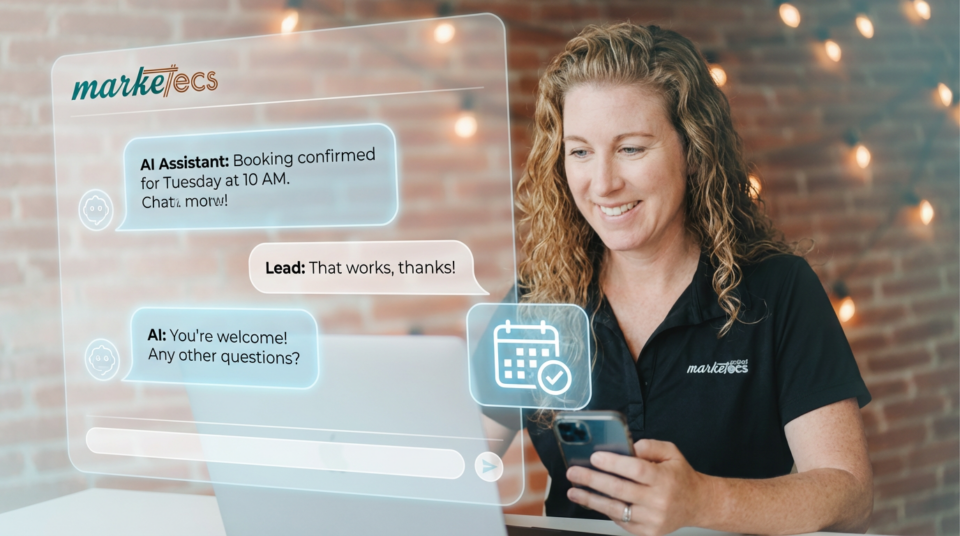
AI can now be used as 24/7 receptionists or customer service agents, allowing businesses to answer questions, handle inbound calls, and book appointments automatically. This guide explains how to build and deploy them using GoHighLevel, aka Marketecs Engine.
Topics Covered in This Guide
- What AI agents are and how they work inside GoHighLevel
- Common business problems AI agents solve
- The difference between conversation AI and voice AI
- How AI agents integrate with Marketecs Engine
- Step-by-step framework for building an AI agent
- Knowledge bases, prompts, and guardrails
- Testing, iteration, and deployment best practices
- A Done-For-You AI Powered Front Desk Agent
This article accompanies our hands-on video walkthrough that shows exactly how to build AI agents inside GoHighLevel, the platform that powers Marketecs Engine. In the video, we build both a chat-based conversation AI agent and a voice AI agent from scratch, connect them to a website, and test how they respond to real questions.
If you want to see the interface and setup live, the video is the best place to start. This guide expands on that walkthrough by explaining the strategy behind each step, when to use each type of agent, and how businesses are using AI agents inside Marketecs Engine to reduce missed leads, shorten sales cycles, and improve response time without adding headcount.
Video Time Stamps
00:00 Intro: AI agents for website + phone
00:41 Concerns + safeguards (how to reach a human)
01:44 3 ways to implement (DIY, templates, done-for-you)
02:42 Build from scratch: overview + menu tour
05:33 Knowledge Bases (web sources, FAQs, docs)
11:02 Conversation AI setup (goals, channels, autopilot)
22:00 Chat Widget customization + install/embed
28:47 Voice AI agent setup + quick test call
35:49 Testing + iteration + final notes
Links
Learn more about Marketecs Engine and its capabilities.
Need Help? Book a free consult.
Check out our YouTube Channel for more tips and tutorials.
Why AI Agents Matter for Revenue and Response Time
Missed calls and unanswered questions are among the most common sources of lost revenue. According to Harvard Business Review, companies that respond to leads within an hour are nearly 7 times more likely to qualify those leads than companies that wait longer. Drift reports that over 40% of consumers expect real-time responses when engaging with a business online.
AI agents address this gap by handling first-touch conversations instantly. They answer common questions, collect contact information, route conversations, and book appointments without waiting for a human to respond. As sales expert Jill Konrath explains, “Speed is no longer a competitive advantage. It is the baseline expectation.”
What AI Agents Are Inside GoHighLevel
AI agents in GoHighLevel are configurable assistants that can interact with prospects and customers through chat or voice. They are not generic chatbots. Each agent can be trained on your content, guided by your instructions, and connected directly to your CRM, workflows, calendars, and messaging. These AI Agents can become your receptionists and customer service first line of defense.
Inside Marketecs Engine, these agents can:
- Answer questions using a custom knowledge base
- Collect and store contact details in the CRM
- Book appointments on connected calendars
- Trigger workflows and notifications
- Answer inbound phone calls using voice AI
- Answer inbound web chat questions using conversation AI
Because everything lives in the same system, every interaction becomes structured data you can act on.
Conversation AI vs Voice AI
Voice AI
Voice AI answers phone calls using natural speech, like an AI receptionist. Voice AI can also be used on a chat widget interface on your website. It can gather information, answer questions, and route or escalate calls when needed. According to Invoca, phone calls convert 10 to 15 times higher than web leads, which makes voice AI especially valuable for high-intent inbound traffic.
Voice AI works well for:
- Missed call coverage
- After-hours support
- High-volume inbound calls
Conversation AI
Conversation AI, or chat AI, handles text-based interactions through a chat widget, SMS, or messaging channels. This is ideal for:
- Website FAQs
- Lead qualification
- Pre-sales questions
- Routing inquiries to the right next step
Conversation AI is typically the fastest place to start and requires minimal friction for users.
The Four-Part Framework for Building an AI Receptionists or Customer Service Bot
1. Define Personality, Goals, and Actions
Every AI agent starts with clear instructions. This includes its name, tone, objectives, and what actions it is allowed to take. For example, an agent may be instructed to answer questions, collect name and email, and offer to book a call after a certain point in the conversation.
Marketing technologist Scott Brinker notes, “AI systems perform best when their scope is narrow and clearly defined.” Avoid trying to make one agent do everything.
2. Build the Knowledge Base
The knowledge base is what the agent uses to answer questions accurately. This can include:
- Website pages
- FAQ documents
- Google Docs
- Product or service pages
Using web-based sources makes updates easier. When content changes, refreshing the source updates the agent without rebuilding it.
3. Enable Interaction Channels
Conversation AI requires a chat widget. Voice AI requires a phone number. Both can be embedded into existing websites or connected through plugins such as WordPress. The key is to test each channel independently before rolling it out publicly.
4. Test, Iterate, and Refine
Testing is not optional. Ask difficult questions, edge-case scenarios, and real buyer objections. Use transcripts and logs to refine prompts and guardrails. According to McKinsey, organizations that iterate AI systems continuously see adoption rates increase by over 30%.
How AI Agents Work Inside Marketecs Engine
Marketecs Engine includes prebuilt templates, workflows, and configurations that reduce setup time. You can:
- Install agent templates and customize them
- Use shared knowledge base structures
- Connect agents to existing automations
- Manage multiple agents across products or services
This makes it easier to scale AI across different use cases without starting from scratch each time.
Common Use Cases for AI Receptionists and Customer Service
- Capturing and qualifying website leads
- Answering pricing and service questions
- Booking discovery calls automatically
- Covering missed calls without voicemail
- Reducing support ticket volume
Businesses using AI-assisted chat have reported sales cycle reductions of up to 50% when early questions are answered immediately, rather than waiting for follow-up.
Getting Started with an AI Receptionists or Customer Service Agent
There are three practical ways to implement AI agents using Marketecs Engine:
- Build it yourself using GoHighLevel and follow the video walkthrough
- Use Marketecs Engine templates for faster setup
- Work with the Marketecs team for a fully built and maintained solution
Each option provides full system access and control. The difference is how much time you want to spend building and testing.
Ready to Build or Deploy AI in Your Business
If you want help deciding which type of AI agent fits your business, or you want a proven setup without trial and error, Marketecs can help.
You can explore our AI Front Desk offer, which includes prebuilt AI agents for chat and phone, optimized prompts, and guided implementation.
To discuss your use case or get started with Marketecs Engine, schedule a meeting with us.